Design System · v1.0

Built for Curiosity.

Guidelines, tokens, and live interaction demos for the Reframe app — an art companion that lets you learn at your own pace. Toggle between light/dark mode branding references and micro-interaction playground above.

Welcome to your collection.
Colour palette

3 primary ramps + neutral
Primary — Terracotta
#712B13
Dark
#993C1D
Base
#D85A30
★ Mid
#F0997B
Light
#FAECE7
Tint
CTAs · Active states · POI dots
Primary interactive colour. Bright, approachable, and fun. Use dark stop for text on light, mid for fills.
Secondary — Teal
#085041
Dark
#0F6E56
Base
#1D9E75
★ Mid
#5DCAA5
Light
#E1F5EE
Tint
Tappable terms and tooltips · Secondary CTAs · Map routes
The "learning" colour. Tappable glossary terms, featured exhibits, and external links use teal — conditioning users to associate it with discovery.
Highlight — Amber
#633806
Dark
#854F0B
Base
#BA7517
★ Mid
#EF9F27
Light
#FAEEDA
Tint
Discovery moments · Bookmarks
Sparingly used for moments of delight: use rarely to preserve its attention-pulling weight.
Neutral surface ramp
Base
Light #FDFAF6 / Dark #120E0B
Surface
Light #F7F4EF / Dark #1A1612
Elevated
Light #EDE9E2 / Dark #231F1A
Card
Light #E3DDD5 / Dark #2E281F

The base uses a warm off-white linen (#FDFAF6) rather than pure white — giving terracotta accents a natural resting surface. Each elevation step is ~6–8 lightness units apart: perceptible but not jarring. In dark mode the base has a warm brown tint, keeping the palette coherent across both modes.

Colour psychology

Terracotta
Curiosity, warmth, human. References terracotta, clay, pigment — grounding the app in physical art materials. Primary action colour.
Teal
Signals calm, clarity, growth, and information without losing lightness. Doesn't veer into "institutional" blue, staying fresh.
Amber
Discovery, attention, delight. Used infrequently and only when user directly has input, such as bookmarks and likes - signals user's favour.

Typography

2 typefaces
Web & Print — DM Serif Display
Website Title 32px · italic available · −0.02em
Section heading 22px · H1
Subheading 18px · H2
"Quotation text" 16px italic · pull quote
App — Inter
Artwork title 16px · 500
Card title & body text 14px · 400 · lh 1.7
Button label · metadata 13px · 400/500
Caption · gallery meta · sub-label 11px · 400
Tag label 10px · 600 · +0.1em upper
Tags — semantic colour mapping

Tags use colour semantically, helping the user learn to navigate intuitively. A tag is a compressed filter chip: the same hue appears in the search filter panel and appear in the same order across art cards, search results, and other locations, creating associations that the users internalise over time.

Impressionism Baroque Plein Air
Blue = technique and style related, such as art movement
Nature War & Conflict Feminism
Terracotta = narrrative-related, such as subject, content, and theme
1900–1950 Medieval 2000s
Red = time period, relating to both creation date and content
France Italy Ancient Rome
Teal = geography, generally relating to the artist's origin or place of work
Movie TV Music
Purple = pop culture and modern references

Border radius

Radius scale
4
Tags · chips
8
Inputs · tabs
10
Buttons
12
Cards
16
Panels
20
Search
Pills

Spacing & gaps

Spacing scale (px)
sp-4
4px — icon gap
sp-8
8px — inline gap
sp-12
12px — component pad
sp-16
16px — screen pad · card gap
sp-20
20px — section gap
sp-24
24px — tile padding
sp-32
32px — large section
sp-48
48px — hero pad
Grid gaps
Bento grid — 12px gap
Chip row — 6px gap
List rows — .5px divider
Result row
Result row
Result row

Buttons & inputs

Button variants
Input states
Search titles, artists, keywords…
Water Lil
All ✕ Artists Artworks ⊞ Filter

Border usage

Border opacity scale
6% — dividers
18% — default card
32% — interactive
35% — focused input
Featured card only

Border weight is always .5px except for the one special case of a "featured" card (2px). Borders use rgba opacity rather than fixed hex values so they work in both themes without separate declarations.

Motion system

GSAP powered
Duration tokens
--dur-fast
150ms
Tap states, chip toggles
--dur-mid
260ms
Tab slides, crossfades
--dur-slow
420ms
Sheet enter, page load
--dur-xslow
600ms
Image develop-in, map draw
Easing curves — click to animate
power3.out
Default transition
back.out
Chip select, tab slide
elastic.out
POI dot, bookmark save
bounce.out
Tab icon bounce on tap
power2.in
Dismiss / exit animations

Live demos

tap to trigger
Bookmark · ink-stroke
Click to save

Icon draws itself via stroke-dashoffset on save. Elastic rebound overshoots 1.25× then settles. Amber fill on saved state.

Like · number roll

Heart compresses then rebounds with elastic overshoot. Count rolls — old slides up-out, new slides up-in. No particles.

Audio guide · play/pause morph
Curator commentary
0:00

Play icon morphs to pause bars. Fill activates left-to-right like a needle drop. Buffering state shows breathing pulse.

Stream tabs · sliding indicator
Narrative
History
Technique
Culture
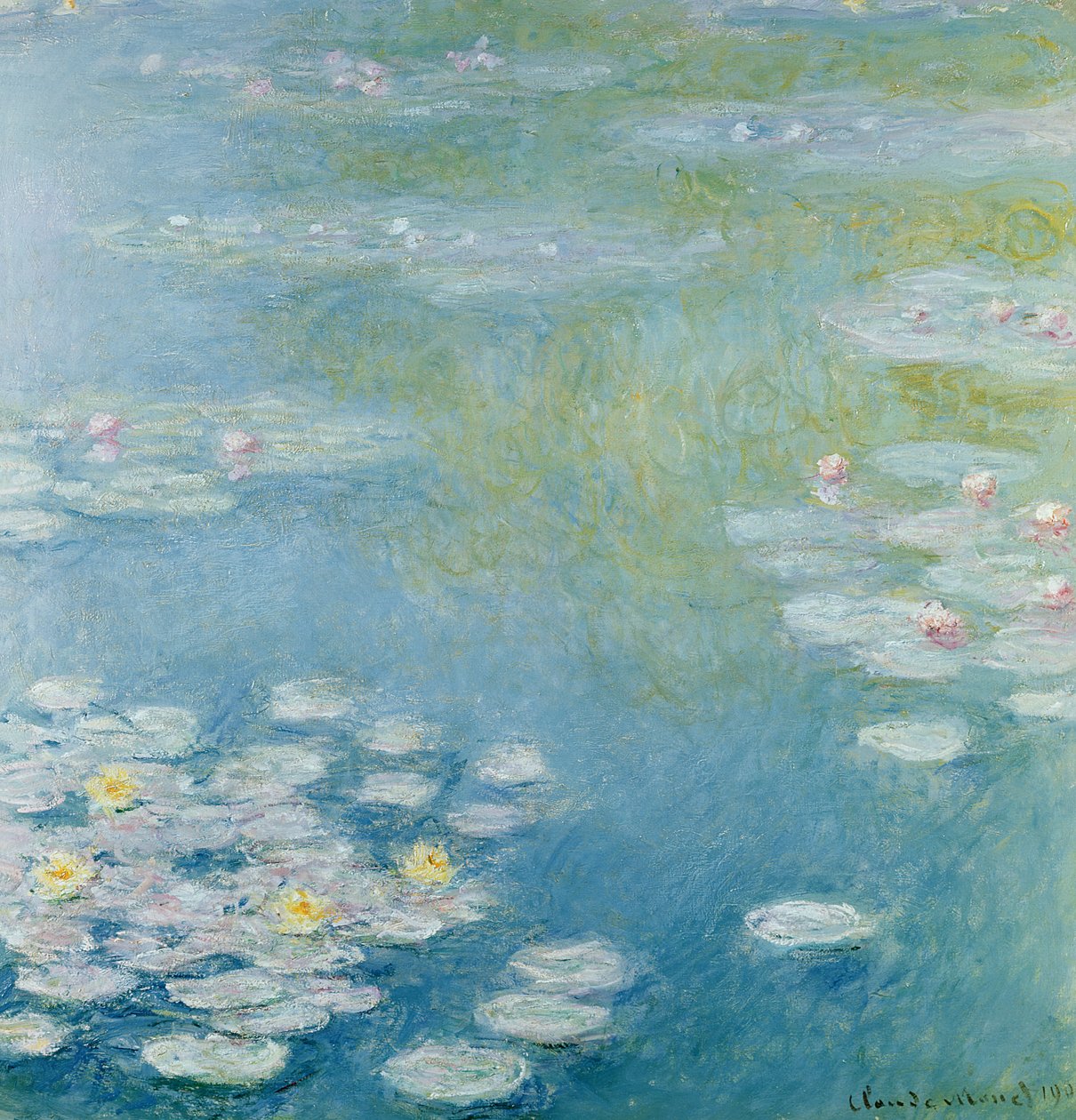
Monet described this series as his most ambitious work — the [water lilies] becoming an obsession at Giverny.

Indicator slides with ease-out-back overshoot. Content crossfades (outgoing: fade + shift up; incoming: fade in from below).

POI dots · tap to reveal
1
2
Reflective surface technique
Monet dissolves the boundary between water and sky — no horizon line.

Dots enter staggered with elastic.out. Tap: dot presses in (scale 0.82), card slides up. Untouched dots dim to 40% opacity.

Term tooltip · bloom up
Working with [Impressionist brushwork]
Impressionist brushwork
Loose, visible strokes applied rapidly to capture transient light conditions rather than smooth, blended surfaces.
at scale, Monet used a panoramic format to dissolve spatial certainty.

Tooltip blooms upward from the tapped term. Tap outside or term again to dismiss.

Skeleton loader · warm shimmer

Shimmer moves at candlelight pace (slow, warm). Images resolve from desaturated blur.

Pull to refresh · frame motif

Pull reveals the Reframe viewfinder motif that fills as tension increases. Release fires refresh; cards cascade in with 40ms stagger.

Screen transition · directional slide
Home screen
Artwork detail

Entering screen slides from +width to 0 (power3.out, 380ms). Leaving slides to −60px and fades — depth without full parallax.

Toggle switch · snap with back easing
Artist's Narrative
Historical Context
Art Technique

Thumb snaps with back.out(2) — a tiny physical rebound confirms the state change. Track colour transitions at --dur-mid.

Chip select · scale pulse
Impressionism Surrealism Baroque Pop Art Cubism Nature

Chip scales to 1.08× on click then snaps back with back.out(2). Fill floods in at --dur-fast.

Card hover · lift & press
Water Lilies
Monet · 1908
Starry Night
van Gogh · 1889

Hover lifts card −4px. Press scales to 0.97×. Release snaps back with ease-out-back.

Motion principles

1
Decelerate always
Everything decelerates into its resting state. Only exits and dismissals use accelerating curves (power2.in). Never accelerate into a rest.
2
Physical weight = back easing
Reserve elastic / back overshoot for elements with physical mass in the metaphor: tab indicators, dragged cards, the bookmark rebound.
3
Nothing loops unless communicating
Loading shimmers and POI pulse loop because they signal "there is something here." No decorative loops.
4
Stagger creates hierarchy
When multiple items appear, stagger at 30–60ms. This creates sequence and lets the user track what just happened.
5
Responses feel instant
Tap feedback occurs within one frame (16ms). GSAP effects are visual polish on top of an already-responded state, serving to enhance instead of being the focus.